
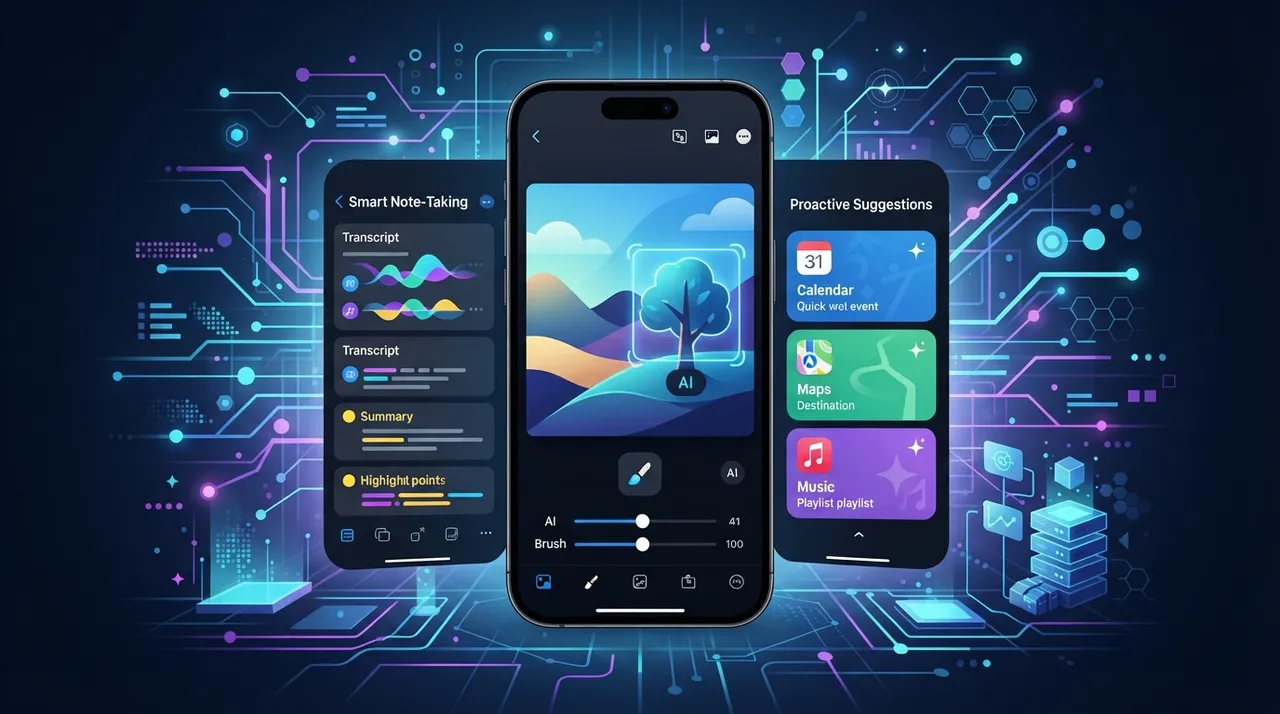
The iPhone has evolved beyond a mere communication device, transforming into a powerful mobile workstation thanks to advanced artificial intelligence capabilities. With iOS 2026, Apple has further integrated AI directly into the operating system, while a vibrant ecosystem of third-party apps continues to expand its utility. This guide explores practical ways to harness your iPhone's AI features to boost productivity, streamline workflows, and manage tasks more efficiently, helping you to generate income or enhance your professional life.
Native iOS AI Features for Productivity
Apple's commitment to on-device AI means many powerful tools are built right into your iPhone, working seamlessly without constant internet access. These features prioritize user privacy and efficiency.
- Siri Intelligence: Beyond basic commands, Siri now offers more proactive suggestions based on your usage patterns, calendar events, and location. It can predict your next action, suggest relevant apps, and even automate complex shortcuts. For instance, Siri can suggest opening your preferred news app when you wake up or remind you to reply to an important message at a specific time.
- Live Text and Visual Look Up: Integrated within the Camera and Photos apps, Live Text allows you to interact with text in images and videos—copying, translating, or looking up information. Visual Look Up identifies objects, plants, animals, and landmarks, providing instant context and links to related information, which is invaluable for researchers or content creators.
- Intelligent Photo Management: The Photos app uses AI to automatically organize your library, identify faces, create memories, and even suggest edits to improve your pictures. This saves significant time otherwise spent manually sorting and enhancing visual content.
- Keyboard and Dictation Enhancements: The native iOS keyboard leverages AI for highly accurate autocorrection, predictive text, and smart dictation. This allows for faster, error-free typing and enables you to dictate long emails or documents with surprising precision, boosting content creation efficiency.
Third-Party AI Apps for Enhanced Workflows
The App Store is rich with applications that extend the iPhone's AI capabilities, catering to diverse professional needs. These tools often integrate with existing workflows to provide powerful enhancements.
- AI-Powered Writing Assistants: Apps like Grammarly and Notion AI (via its iOS app) offer advanced grammar checking, style suggestions, and even content generation features directly on your iPhone. This is crucial for professionals who write emails, reports, or social media content on the go, ensuring clarity and professionalism.
- Smart Note-Taking and Organization: Applications such as Evernote or Craft Docs use AI to transcribe audio notes, categorize content, and create smart links between related ideas. This transforms raw information into structured knowledge, making research and project planning more efficient.
- Advanced Photo and Video Editing: Apps like Adobe Lightroom Mobile or CapCut integrate AI for automatic object selection, background removal, color correction, and even video stabilization. These tools enable high-quality content production directly from your phone, eliminating the need for complex desktop software for many tasks.
- Personalized Learning and Skill Development: AI-driven learning apps adapt to your progress, offering personalized courses and exercises. Apps like Duolingo for languages or platforms offering coding tutorials utilize AI to optimize your learning path, a vital aspect of continuous professional development.
Practical Steps to Maximize iPhone AI for Income
Leveraging these AI features isn't just about saving time; it's about creating new opportunities and enhancing your earning potential.
- Content Creation and Marketing: Use AI-powered photo and video editors to create professional-grade content for social media, blogs, or e-commerce platforms. Integrate AI writing assistants to draft engaging captions, product descriptions, or marketing copy directly from your iPhone. For example, a freelance social media manager can use CapCut to quickly edit client videos and Grammarly to refine accompanying posts.
- Streamlined Research and Data Gathering: Utilize Live Text and Visual Look Up to quickly extract information from documents or real-world objects. Combine this with smart note-taking apps to organize research for reports, articles, or market analysis. An entrepreneur scouting a new location could photograph a storefront, extract contact details with Live Text, and immediately add notes in Evernote.
- Automated Task Management and Client Communication: Set up Siri Shortcuts to automate repetitive tasks like sending follow-up emails, scheduling appointments, or generating project updates. Use AI-enhanced dictation to respond to client queries faster and more accurately, maintaining professional communication even when mobile.
- Personalized Skill Development: Dedicate time to AI-driven learning apps to acquire new skills or refine existing ones. For instance, an aspiring coder can use a mobile AI coding tutor during commutes, turning idle time into productive learning that directly impacts career growth and earning potential.
- Monetizing AI-Enhanced Media: For photographers or videographers, using AI tools like Lightroom Mobile can significantly speed up post-production. This allows you to process more client work in less time, directly increasing your capacity and income.
By intentionally integrating these AI capabilities into your daily workflow, your iPhone transforms from a consumption device into a powerful tool for creation, efficiency, and ultimately, income generation. The key is to explore and experiment with the vast array of AI features and apps available, finding those that best align with your professional goals and help you work smarter, not just harder.






Comments 0
No comments yet — be the first to share your thoughts.
Share your thoughts
To comment, sign in first — we email you a one-time code (no password). This keeps the discussion clean.
Sign in to comment →