
What it is

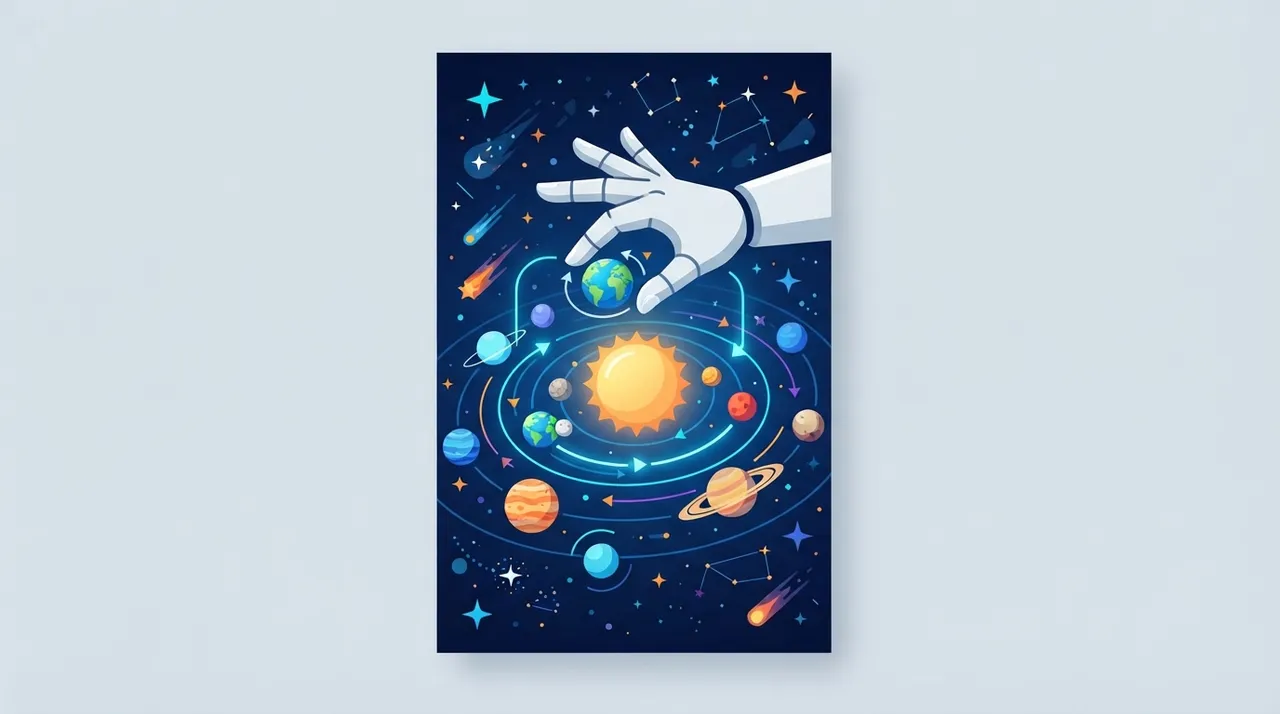
“Explore Solar System with Hand Gestures” is an innovative web application that allows users to explore a 3D model of the solar system directly within their browser, controlled by natural hand gestures. This application leverages computer vision and machine learning technologies, specifically the TensorFlow.js library, to analyze hand movements captured by the device's camera. By detecting hand keypoints and interpreting them as commands, users can rotate the model, zoom in and out, and navigate between planets without needing a mouse or keyboard. The project aims to provide an interactive and immersive way for scientific learning and exploration, making it a unique educational and entertaining tool that harnesses the power of the web and artificial intelligence.
Why it helps
Immersive Educational Experience: It offers a highly engaging and interactive way to explore and learn about planets and celestial bodies. Users can rotate 3D models, zoom in for details, and smoothly transition between planets, enhancing visual and spatial understanding of the solar system beyond static books and images.
Ease of Access and Use: As a web application, it requires no special installation; it can be accessed directly from any WebGL-enabled browser with a webcam. This makes it available to a wide audience without technical barriers and increases its flexibility for use in various environments such as home classrooms or conferences.
Interactive Alternative to Traditional Controls: Hand gesture control provides a more natural and intuitive experience compared to mouse, keyboard, or touchscreen controls. This feature is particularly beneficial for children, individuals who prefer kinesthetic interaction, or in situations where hands are occupied or users wish to interact remotely.
Live Demonstration of AI Applications: This application serves as a practical and clear example of how artificial intelligence and computer vision (especially TensorFlow.js) can be integrated into modern web applications. Developers and educators can use it as a live case study to explain the capabilities of in-browser machine learning.
Flexibility for Customization and Development: Given its open-source nature, developers can modify, extend, and add new features to the project, such as displaying detailed information about each planet, adding more celestial bodies, or even integrating it into larger educational projects.
How to get value
Develop Interactive Educational Content: Freelance instructional designers and developers can integrate or build upon this technology to create interactive courses on space, physics, or even AI concepts themselves. They can sell these courses to e-learning platforms or educational institutions seeking innovative and engaging content, opening up a new revenue stream. For instance, a series of lessons titled "Explore Space with Your Gestures" could explain planetary orbits and relative sizes in an unprecedented way.
Demonstrations for Conferences and Exhibitions: Entrepreneurs in technology or marketing can use this application as an attractive tool for promotional booths or presentations. Imagine showcasing a product or service in an interactive manner where the audience controls it with hand gestures. This captures attention and increases engagement, enhancing brand presence or opportunities to attract new clients. For example, at a tech expo, a 3D model of a new product could be displayed and controlled by hand gestures, leaving a strong impression on attendees.
Consulting Services for Computer Vision Applications: Developers specializing in AI and computer vision can use this project as a prototype or proof of their capabilities. They can offer consulting services to companies looking to integrate gesture control or computer vision into their own applications (such as interactive retail apps, games, or medical systems), generating income through custom projects.
Create Innovative Marketing Content: Marketers and content creators can use video footage of interacting with this application to produce engaging visual content for social media or advertising campaigns. Showcasing an innovative way to interact with technology attracts viewers and highlights innovation capabilities, increasing engagement rates and attracting clients for marketing services. For example, a short video could show someone controlling the solar system with their hand, ending with a call to action to visit a website or product.
Smart Use Tip
For best results, try the application in a well-lit room and ensure your hand's background is clear and uncluttered. This helps the hand recognition algorithm work more efficiently and accurately, providing a smooth and reliable control experience.
Comments 0
No comments yet — be the first to share your thoughts.
Share your thoughts
To comment, sign in first — we email you a one-time code (no password). This keeps the discussion clean.
Sign in to comment →