
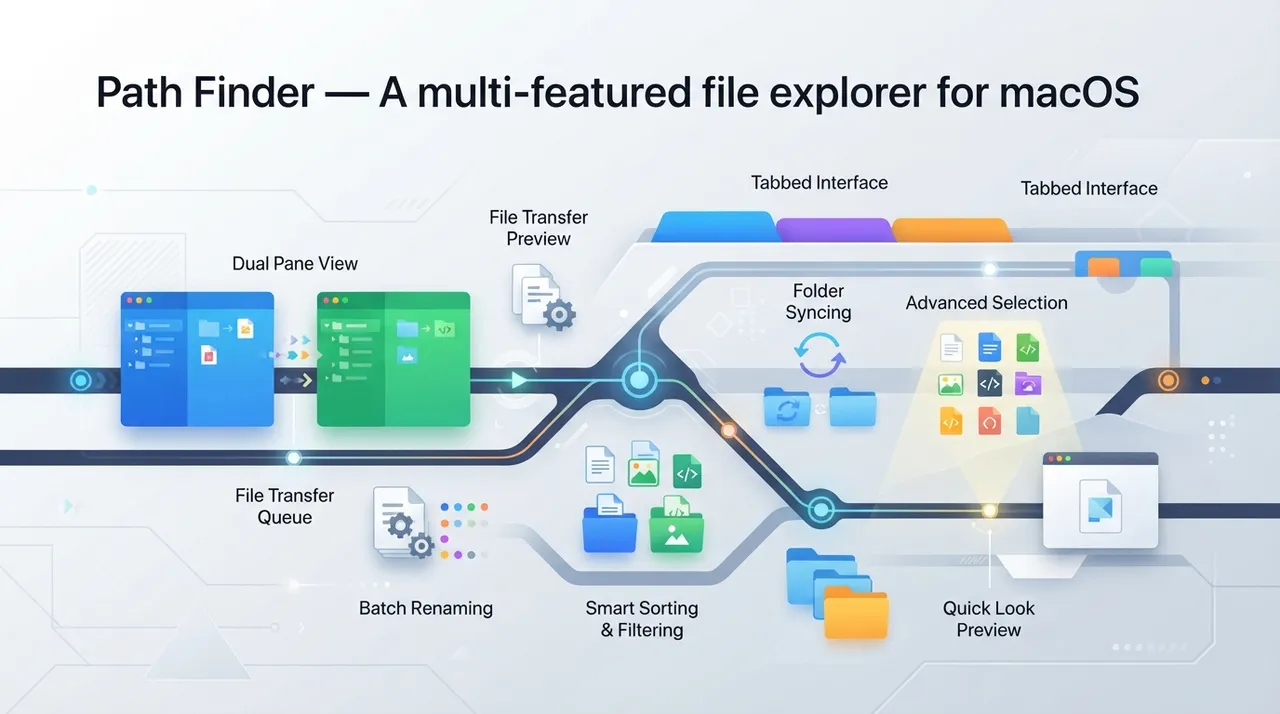
What is Path Finder?

Path Finder is an advanced and professional file manager designed specifically for macOS users who find themselves constrained by the basic features of the default Finder. It is not just an alternative, but a comprehensive upgrade to how files and folders are managed on Mac devices. Path Finder integrates a wide range of tools and functionalities into a single interface, enabling users to perform complex tasks efficiently and quickly, from basic file management to advanced operations such as folder synchronization, text editing, and command-line access.
Path Finder is built on the philosophy of providing complete control and unparalleled flexibility to users. The interface is highly customizable, allowing users to arrange elements and tools to suit their specific workflow. Whether you are a developer, designer, writer, or simply a user looking for a more effective way to manage your files, Path Finder provides the necessary tools to significantly enhance your productivity. Path Finder goes beyond the concept of a traditional file explorer to be a complete working environment for handling files and data.
Why it helps
- Dual Pane View: Path Finder allows you to view two folders side-by-side in one window, which greatly facilitates copying, pasting, moving, and comparing files and folders. This feature is essential for users who deal with large amounts of data or organize multiple projects. Users can seamlessly drag and drop files between panes, saving time and reducing the need to open multiple windows.
- Integrated Text Editor and File Viewer: Path Finder includes a powerful text editor that supports editing text files, code files, and Markdown files directly within the application without the need to open an external editor. Additionally, it provides a quick viewer for a wide range of file types, including images, videos, and PDF documents, allowing you to preview content quickly before opening or editing it.
- Advanced File Control Tools: Path Finder offers a wide array of tools that extend beyond Finder's capabilities. These include: Batch Renaming, folder synchronization, creating and extracting compressed archives, and direct command-line access from the user interface (Terminal Integration). It also supports advanced search functions, filtering files by multiple criteria, and controlling file permissions.
- Comprehensive Interface Customization: Path Finder's interface can be highly customized to suit individual user needs. You can add or remove sidebars, rearrange tools, modify window layouts, and create custom keyboard shortcuts. This gives you the flexibility to build an optimal working environment that enhances your efficiency and comfort during work.
- Tab Support and Smart Folders: Similar to web browsers, Path Finder supports tabs that allow you to open multiple folders in one window and switch between them easily. You can also create “Smart Folders” based on specific search criteria, which automatically collect related files and display them in a single virtual folder, which is very useful for organizing projects or different file types.
How to get value
- Efficient Client Project Management: Suppose you are an entrepreneur running a digital marketing agency with multiple clients. Each client has separate folders for files (designs, texts, reports, campaign data). Using Path Finder, you can open client A's folder in the right pane and client B's folder in the left pane, then use the synchronization feature to compare folders and ensure all files are updated. If you need to move a set of images from a 'Resources' folder to a 'Current Projects' folder for a specific client, dual panes make the process quick and error-free. You can also use the batch renaming feature to rename a large group of images or files to match client naming conventions, saving hours of manual work and increasing the professionalism of your file management.
- Streamlining Content and Design Workflow: If you work as a graphic designer or content creator, you often need to preview multiple files and edit texts. Path Finder offers an integrated text editor that allows you to edit description files (such as README.md or simple HTML/CSS files) or marketing texts directly without needing to open an external application. This means you can browse design folders, quickly preview images and videos using the built-in viewer, and then edit associated texts in the same window, reducing distractions and speeding up the review and modification process.
- Organizing Resources and Financial Data: As an entrepreneur, you often deal with invoices, financial reports, and legal documents. You can use Path Finder's Smart Folders to create a folder that automatically collects all new invoices (based on creation date or keywords in the name). You can also use the advanced search tool to find specific documents quickly, and check access permissions for sensitive files, ensuring the security and privacy of your financial data. This meticulous organization makes it easier for you to review taxes and prepare periodic financial reports.
Smart Usage Tip:
Leverage Path Finder's “Drop Stack” feature. This allows you to temporarily collect multiple files from different locations into a single draggable area, then move or copy them all at once to another destination. Imagine gathering items for a new project: images from one folder, documents from another, and a video file from a third. Instead of opening three windows and performing three drag-and-drop operations, you can drag each file to the “Drop Stack” and then drag the entire stack to the final project folder. This reduces desktop clutter and speeds up the process of compiling resources for your projects.








Comments 0
No comments yet — be the first to share your thoughts.
Share your thoughts
To comment, sign in first — we email you a one-time code (no password). This keeps the discussion clean.
Sign in to comment →