

What is KiCad in the Browser?
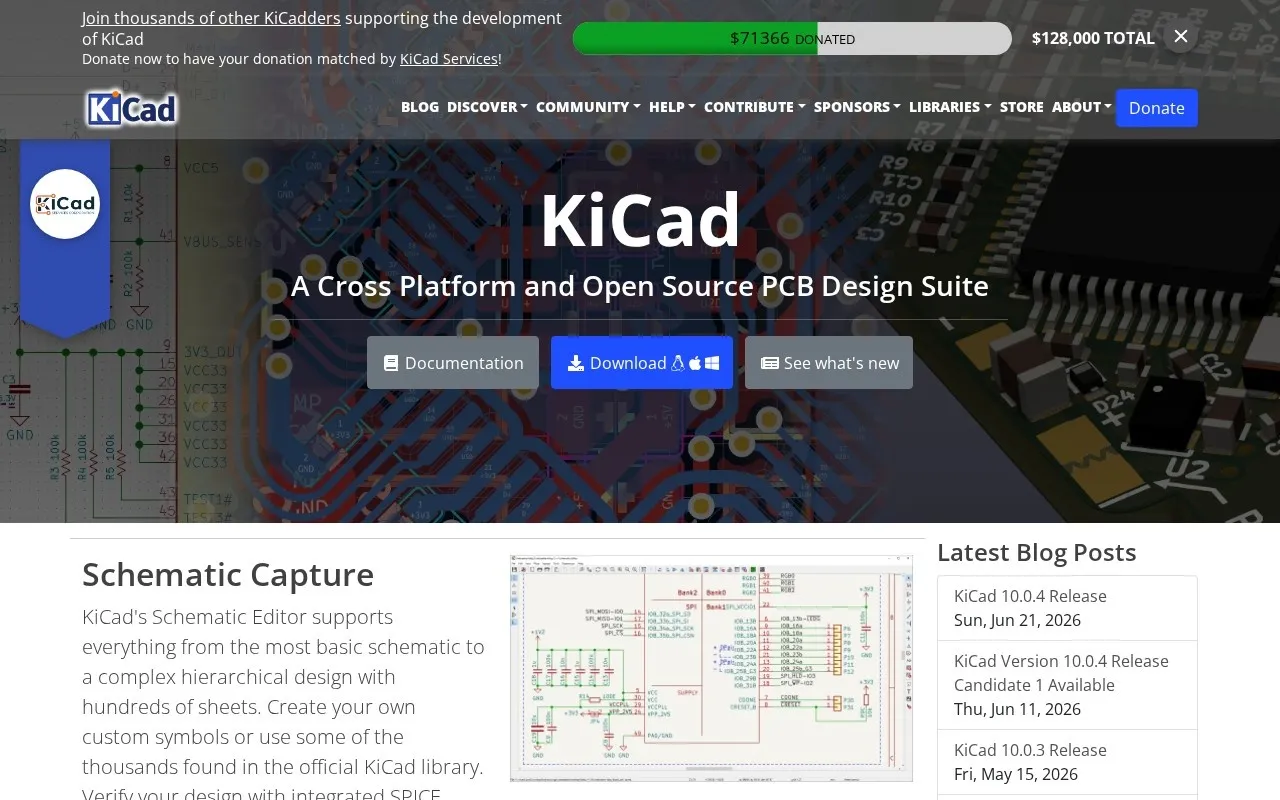
"KiCad in the Browser" is an initiative that allows engineers and designers to access and run the open-source electronic design automation (EDA) software KiCad directly within their web browser. This approach typically relies on technologies such as WebAssembly or cloud streaming to deliver the user experience of a complex desktop application without requiring any local installation on the device. This solution aims to provide a flexible and widely accessible work environment, eliminating barriers related to operating system compatibility or hardware power, and making electronics design more accessible to developers and students alike. Instead of having to download and install a large software package on a computer, users can now open their browser and start working on their projects from anywhere with an internet connection.
This platform represents a significant advancement in electronics design, combining the power and flexibility of KiCad, an industry-leading software, with the ease of access provided by web-based applications. Users can access all core KiCad features, including the Schematic Editor, PCB Layout Editor, and 3D Viewer, all within the browser environment. This capability opens new avenues for rapid collaboration and project sharing, offering an ideal solution for distributed teams or individuals who need to work from multiple devices.
Key benefits
- Universal Accessibility: KiCad in the Browser allows you to work on your projects from any internet-connected device, be it a desktop computer, laptop, or even a powerful tablet, without being restricted by a specific operating system (Windows, macOS, Linux). This eliminates the need for local software installation and reduces hardware specification requirements.
- Instant and Continuous Updates: Since the software is run server-side, you always benefit from the latest version of KiCad without needing to perform manual updates. This ensures you have access to the newest features, bug fixes, and security improvements continuously, saving time and reducing technical hassle.
- Seamless Collaboration and Project Sharing: The cloud environment greatly facilitates project collaboration. Teams can work together on the same project or easily share files with colleagues or clients, boosting productivity and reducing version management complexities. Designers can exchange and modify files in real-time or near real-time.
- Reduced Hardware Requirements: As heavy processing often occurs on cloud servers, KiCad in the Browser reduces the burden on your local device. This means you can run the software effectively even on lower-spec devices, saving costs on purchasing powerful, dedicated hardware.
- Work Environment Flexibility: This solution offers unprecedented flexibility for engineers and designers. Whether you're working from home, the office, or on the go, you can access a complete and efficient design environment. It is also ideal for educational institutions to teach electronics design without needing to set up specialized computer labs.
How can a freelancer/entrepreneur practically use it to increase productivity or income?
"KiCad in the Browser" is an incredibly powerful tool for freelancers and entrepreneurs in electronics design. Suppose you are an independent electronics engineer working on multiple projects for different clients. Such projects often require flexibility in accessing design tools and delivering quick updates. Using KiCad in the Browser, you could, for example, start designing an electronic board for a client in your office. Then, if you have to travel, you can resume work on the exact same project from a simple laptop at the airport or hotel, without needing to transfer large files or worry about software installation. You can even present work progress to the client directly via the browser in a virtual meeting, facilitating review and reducing iteration cycles. This flexibility allows you to accept more projects regardless of your geographical location or available devices, increasing your productivity and your ability to meet diverse client needs, thereby boosting your income.
Smart usage tip:
Leverage the universal accessibility of KiCad in the Browser to create a custom, shared electronic component library. Instead of creating new components for each project, develop a standardized library of components (e.g., schematic symbols and PCB footprints) and store it in cloud storage accessible by KiCad in the Browser. This way, you or your team can access these standardized components from anywhere, at any time, which speeds up the design process and ensures consistency across all your projects. This not only saves time but also reduces errors and improves the quality of final designs.





Comments 0
No comments yet — be the first to share your thoughts.
Share your thoughts
To comment, sign in first — we email you a one-time code (no password). This keeps the discussion clean.
Sign in to comment →