
The idea
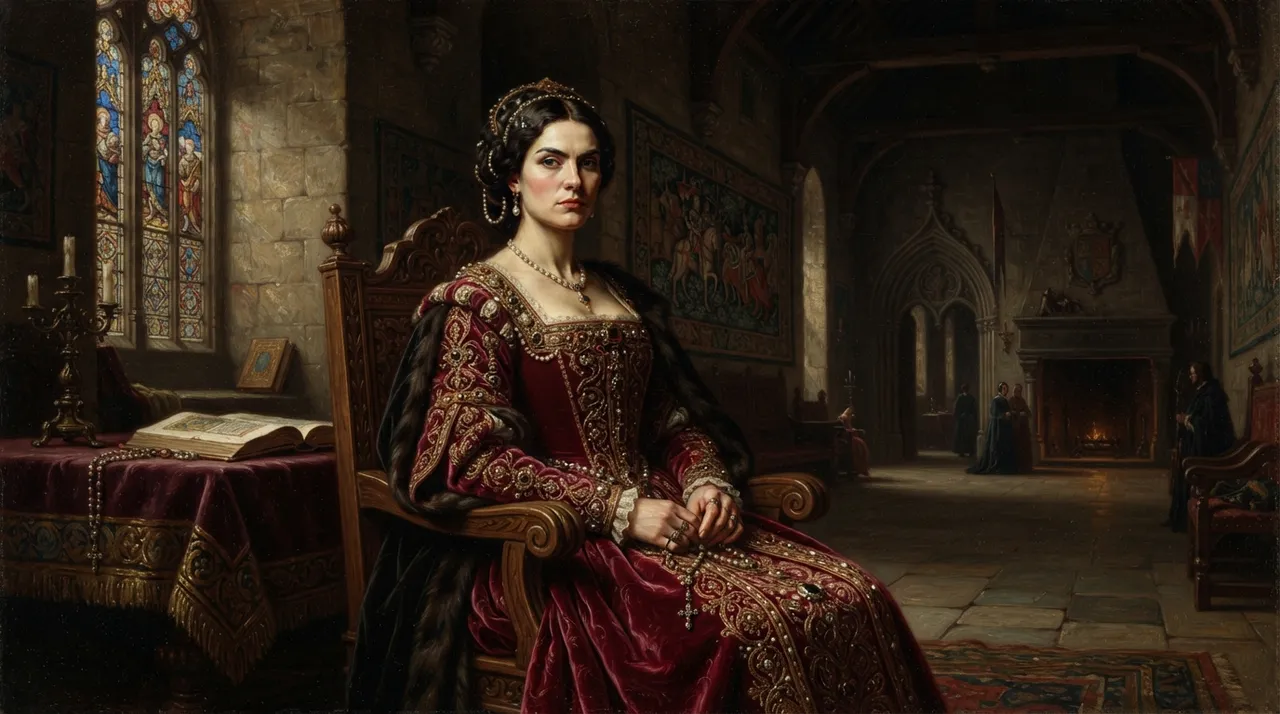
Transforming personal photos into artworks depicting medieval historical figures is one of the most prominent digital art trends currently. This trend blends the precision of modern photography with the aesthetics of classical art, allowing individuals to see themselves in a rich historical context. This trend relies on advanced AI techniques that can analyze facial features and apply artistic styles inspired by medieval paintings, whether they are royal portraits, knights, or religious figures. This creative fusion allows users to explore new visual identities and share them across social media platforms, sparking curiosity and admiration.
The appeal of this trend lies in its ability to offer a unique and personal experience, where each user can see themselves as part of a historical story or legend. It also highlights the significant advancements in AI's capabilities to understand and create complex and realistic visual content while maintaining the desired artistic style. It's not just a photo transformation; it's a complete re-imagining of visual identity within a different time frame.
How to apply it
- Choose your personal photo: Start by selecting a clear, high-quality personal photo of your face. Ensure good lighting and clear features for the best results.
- Use an AI image transformation tool: Navigate to an AI-powered image transformation platform that offers artistic styles (e.g., Midjourney, Stable Diffusion, or specialized photo editing apps that provide historical art styles).
- Upload your photo and add the prompt: Upload your personal photo to the tool. Then, enter the suggested prompt (or a modified version of it) to guide the AI in creating the image in the desired style.
- Edit and refine (optional): After the image is generated, you might need to make minor adjustments using available editing tools within the platform or other software to enhance colors or fine details.
- Share your creation: Once you are satisfied with the result, share your new medieval-inspired image on social media or with your friends.
Prompt to recreate the image
To generate a similar image yourself, use this prompt in your favorite image generator:
Portrait of a [man/woman] from the Middle Ages, with features resembling [YOUR DESCRIPTION OF YOUR FACE, e.g., 'a strong jawline, piercing blue eyes, and a slight smirk']. Dressed in [describe medieval attire, e.g., 'a rich velvet tunic with intricate gold embroidery' or 'full knight's armor with a surcoat']. The background is a [describe medieval setting, e.g., 'stone castle hall with tapestries' or 'dark, atmospheric forest']. Style of a Renaissance master painting, highly detailed, dramatic lighting, oil painting texture, realistic, epic, moody. --ar 3:4 --v 5.2



Comments 0
No comments yet — be the first to share your thoughts.
Share your thoughts
To comment, sign in first — we email you a one-time code (no password). This keeps the discussion clean.
Sign in to comment →