
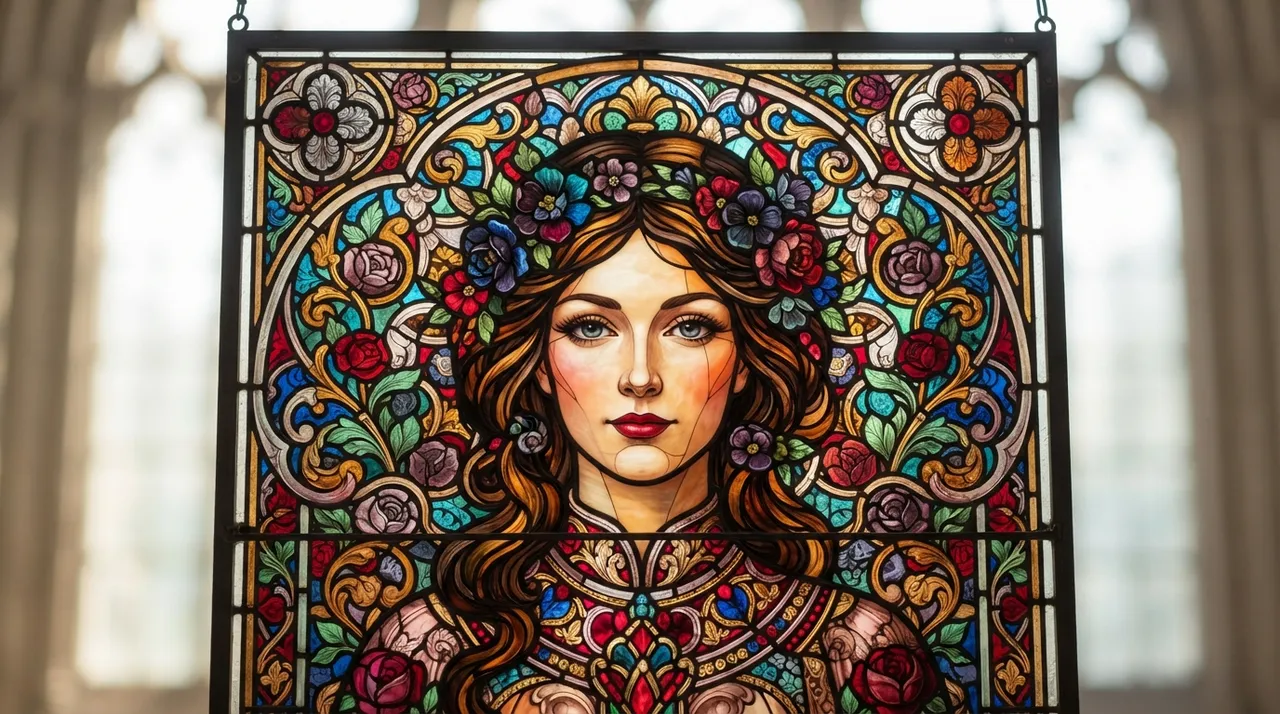
The idea
Stained glass art, with its ancient history spanning thousands of years, is an artistic style known for its captivating beauty and unique lighting effects. This art is characterized by colored glass pieces assembled together by metal strips (often lead) to form intricate patterns and designs that allow light to pass through, creating stunning color gradations. Recently, this artistic style has seen a significant digital resurgence thanks to artificial intelligence technologies, becoming a popular trend that allows users to transform their personal photos or any digital image into stained glass-inspired artworks. The popularity of this trend stems from its ability to impart a touch of luxury and historical beauty to ordinary digital photos, making them appear as unique art pieces, in addition to the ease of applying it using available AI tools.
How to apply it
- Choose Your Image: Start by selecting the digital image you wish to transform. This can be a portrait, a landscape, or any other photo. It's preferable to choose images with clear details and contrasting colors for the best results.
- Use an AI Tool: Several platforms and tools support transforming images into a stained glass style. Prominent among these are Midjourney, Stable Diffusion, or DALL-E 3, which allow users to input text prompts and reference images.
- Design the Text Prompt: Formulate a detailed text prompt describing the style you desire. The prompt should include keywords such as "stained glass art style," "colorful leaded glass," "mosaic pattern," and "vibrant colors." You can also specify additional elements like lighting or specific glass details.
- Combine Image with Prompt: In most AI tools, you can upload your image as a visual input and then combine it with the text prompt. This directs the AI to transform the original image while retaining its essential features but in a stained glass style.
- Experiment and Iterate: You may need to experiment with several text prompt variations and adjust settings to achieve optimal results. You can change the intensity of the stained glass effect, modify the color palette used, or add extra details until you achieve the desired look.
- Final Touches: Once you obtain a satisfactory result, you can save the image and use it in your creative projects, as a phone wallpaper, or as a digital artwork.
Prompt to recreate the image
To generate a similar image yourself, use this prompt in your favorite image generator:
A detailed portrait of a person transformed into a vibrant stained glass artwork, featuring intricate leaded lines separating colorful, translucent glass shards. The light should be filtering through the glass, creating a luminous, ethereal glow. The style should evoke classic gothic cathedral stained glass, with a modern, artistic touch. High detail, vibrant colors, intricate patterns, elegant, volumetric lighting, artistic composition, museum quality, 8k, ultra-realistic.


Comments 0
No comments yet — be the first to share your thoughts.
Share your thoughts
To comment, sign in first — we email you a one-time code (no password). This keeps the discussion clean.
Sign in to comment →