
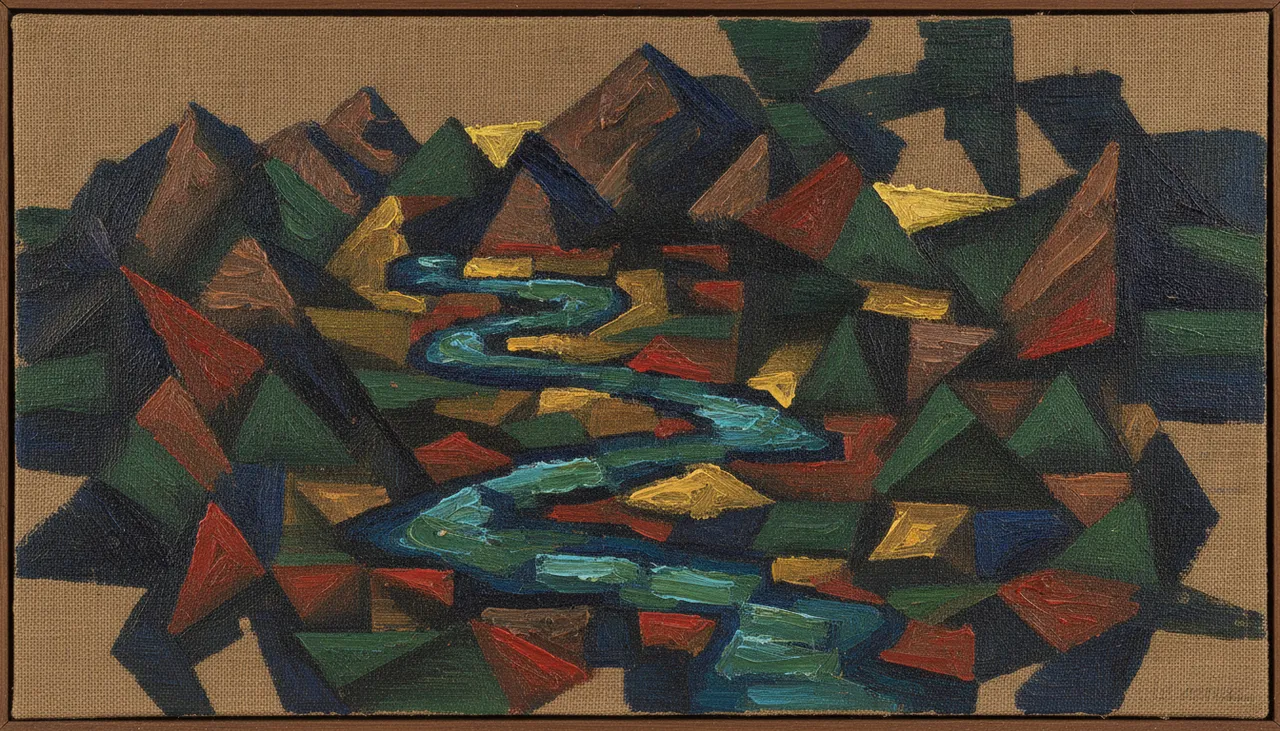
The idea
Transforming photographs into artworks in the style of Cubist oil paintings is one of the trending digital art movements in 2026. This trend draws inspiration from the famous Cubism movement of the early 20th century, which broke away from traditional perspectives and three-dimensional representation, presenting objects from multiple angles simultaneously on a flat surface. This trend allows you to use AI tools to create stunning visual images that convert your personal photos, landscapes, or any other picture into complex artistic compositions, appearing as if hand-painted with the brush of a Cubist artist.
The appeal of this trend lies in its ability to add an artistic dimension and visual depth to ordinary photos, giving them a unique and contemporary character. It's an excellent way to explore creativity and reimagine familiar visuals in an unconventional style, making it highly valuable for artists, designers, and photography enthusiasts alike. You can use it to create unique content for social media platforms, as part of an art project, or even to print personal artworks to decorate your home.
How to apply it
- Choose your base image: Start by selecting a good quality image, whether it's a portrait, a landscape, or an everyday scene. The clearer and more detailed the original image, the better the final result will be.
- Use an AI tool: Head to an AI image generation platform such as Midjourney, DALL-E 3, or Stable Diffusion. Ensure the platform supports image input as a visual reference.
- Upload the reference image: Upload your chosen image to the platform as a reference. In some tools, you can drag and drop the image directly into the prompt box, or use a command like `/imagine` then paste the image link.
- Craft the prompt: Write a detailed description that guides the AI to transform the image into a Cubist oil painting. The prompt should include elements such as “Cubist oil painting,” “fragmented perspective,” “geometric shapes,” “bold colors,” and “textured brushstrokes.” You can also add details about the original content of the image to ensure its essence is captured.
- Experiment with different prompts: You might need to adjust the prompt several times to achieve the perfect result. Try changing colors, adding specific details, or focusing on a particular aspect of Cubism (e.g., Analytical or Synthetic Cubism).
- Refine the generated image: After generating the image, you can make some final adjustments using image editing software if necessary, such as adjusting contrast, brightness, or color saturation, or removing any unwanted elements.
Prompt to recreate the image
To generate a similar image yourself, use this prompt in your favorite image generator:
A photograph transformed into a Cubist oil painting. The image features fragmented perspectives, geometric shapes, and a multi-faceted view of the subject. Bold, textured brushstrokes are evident, creating a rich, painterly effect. The color palette is vibrant and diverse, with overlapping planes and a dynamic composition. The overall style is reminiscent of early 20th-century Cubism, capturing the essence of the original photograph while reinterpreting it through abstract, geometric forms. The artwork conveys a sense of movement and deconstruction, typical of the Cubist movement.





Comments 0
No comments yet — be the first to share your thoughts.
Share your thoughts
To comment, sign in first — we email you a one-time code (no password). This keeps the discussion clean.
Sign in to comment →