
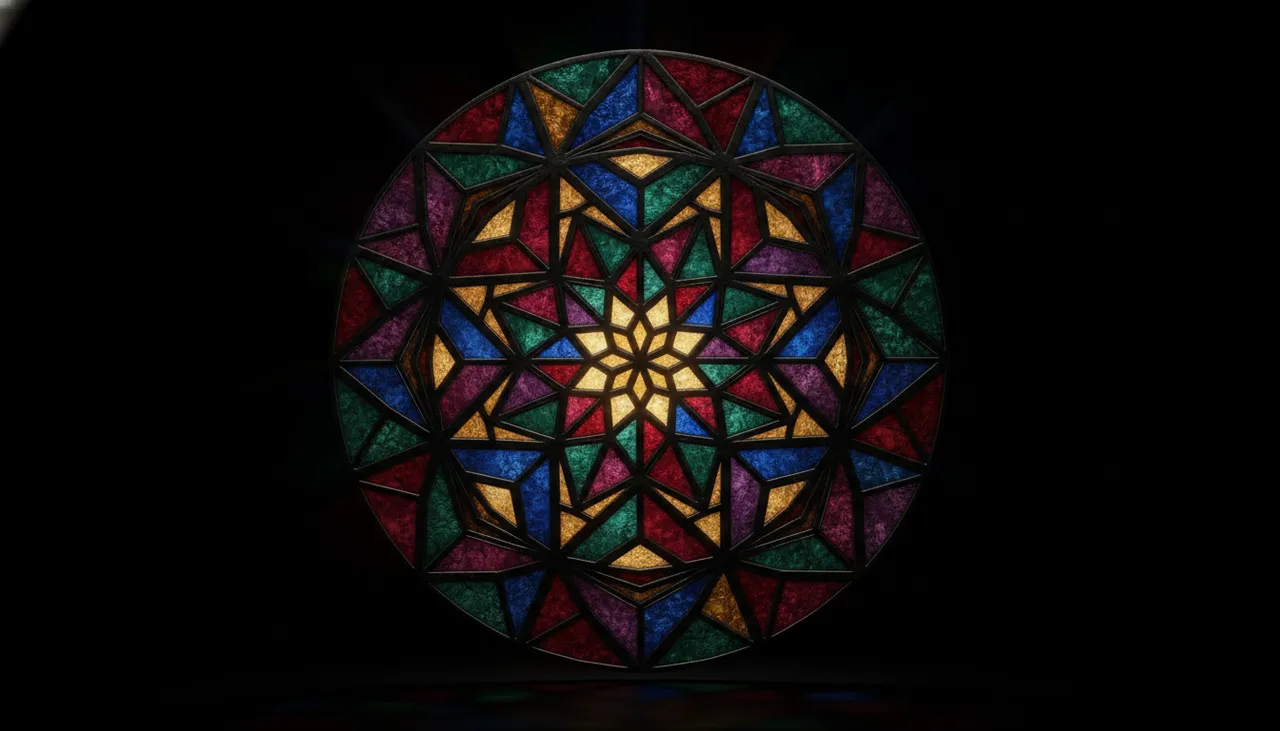
The idea
The stained glass style is an ancient art form dating back to the Middle Ages, characterized by its unique beauty based on assembling various colored glass pieces to form stunning visual panels. Recently, this style has seen a strong resurgence in the digital design world, particularly in logo and brand identity design. The popularity of this trend stems from its ability to give any design an artistic, sophisticated, and contemporary feel all at once. Imagine your familiar logo transformed into an illuminated artwork, with colors reflecting light attractively, adding a new dimension of elegance and distinction. This style not only imparts visual beauty but also gives the logo depth and uniqueness, making it more memorable and distinctive in a market saturated with similar images.
How to apply it
- Identify your logo or text: Start by selecting the logo or text you wish to transform. Ensure the logo is simple and clear to facilitate its conversion into the stained glass style.
- Use an AI image generation tool: Choose an AI image generation tool (such as Midjourney or DALL-E 3) that supports image modification or image creation from a text description.
- Craft the prompt carefully: Write a detailed description that combines elements of your logo with the stained glass style. Focus on details such as colors, type of glass (transparent, opaque), background lighting, and the pattern of the metallic solder lines connecting the glass pieces.
- Specify colors and lighting: Mention the primary colors you want to see in the logo and how light interacts with them to create shadow and glow effects.
- Iterate and refine: You may need to adjust the prompt several times to achieve the perfect result. Try changing terms, adding new details, or modifying colors until you reach the design you like.
- Final touches (optional): If the AI tool doesn't provide precise adjustments, you can take the generated image to an image editing software (like Adobe Photoshop or GIMP) to add final touches such as adjusting contrast, brightness, or adding additional effects.
Prompt to recreate the image
To generate a similar image yourself, use this prompt in your favorite image generator:
A vibrant stained glass style logo for "NumooTech", featuring intricate geometric patterns, a rich palette of jewel tones (emerald green, sapphire blue, ruby red, amethyst purple), with clear lead lines separating the glass pieces. The logo should emit a soft, warm glow, as if backlit by natural light, creating subtle reflections and refractions on a dark, slightly textured background. The design should feel both traditional and modern, incorporating abstract tech elements within the glass patterns, detailed and artistic.

Comments 0
No comments yet — be the first to share your thoughts.
Share your thoughts
To comment, sign in first — we email you a one-time code (no password). This keeps the discussion clean.
Sign in to comment →