
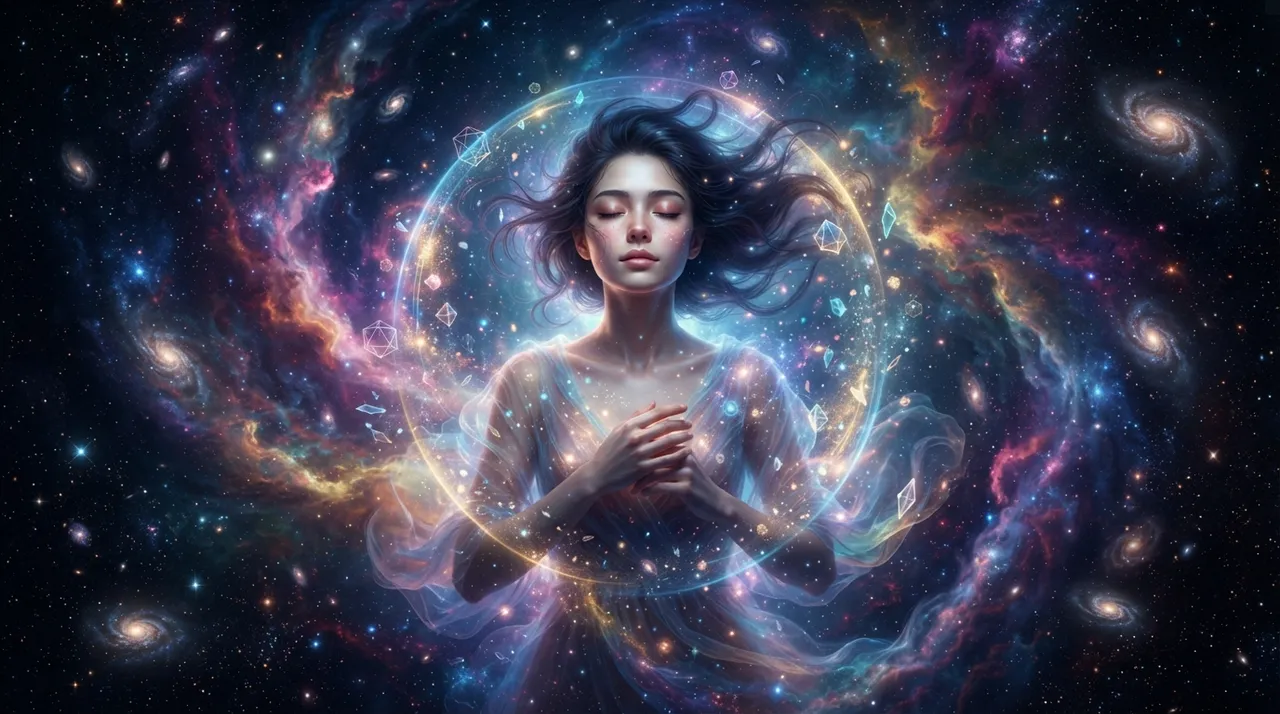
The idea
The "Surreal Portraits Floating in Space" trend is one of the digital art styles that gained significant popularity in 2026. The idea involves merging portrait photos with cosmic and surreal backgrounds, making people appear to float weightlessly in distant, mysterious realms. This trend combines the realism of facial details with the imaginative aesthetics of space, creating unique and inspiring images. Its popularity stems from its ability to transform ordinary personal photos into complex and meaningful art pieces, while allowing ample room for personal creativity in choosing cosmic elements, colors, and surreal effects. It also aligns with the growing interest in digital art and the ability to create professional artworks using AI tools.
How to apply it
- Choose Your Photo: Start by selecting a high-quality portrait photo. It's preferable for the photo to have good lighting and clear facial details, with the person looking forward or slightly to the side.
- Remove the Background: Use a tool to remove the background from your photo. Most AI-powered photo editing tools offer this feature easily and accurately (e.g., Adobe Photoshop, or free online background removal tools).
- Select a Cosmic Background: Look for high-quality images of space, nebulae, galaxies, or surreal planetary landscapes. You can use free or paid stock photo websites.
- Combine and Adjust: Place the cutout portrait onto the cosmic background. Adjust the size and position so the person appears to float naturally. Use adjustment tools to change the colors and lighting of the portrait to match the background. You may need to reduce color saturation or add subtle light effects.
- Add Surreal Elements (Optional): To enhance the surreal nature, add additional elements such as small floating planets, scattered stars, glowing particles, or subtle misty effects around the person. You can also add effects like cracks in the body or partial transparency for a unique artistic touch.
- Final Touches: Apply visual effects such as glow, subtle shadows, and overall color adjustments to unify the image. Filters can be used to achieve a cohesive final look.
- AI Prompt: If you are using an AI image generation tool, describe the image clearly, including details about the portrait, background, and the surreal elements you desire (see suggested prompt).
Prompt to recreate the image
To generate a similar image yourself, use this prompt in your favorite image generator:
A surreal portrait of a person (describe specific features: e.g., a young woman with auburn hair, thoughtful expression, wearing a flowing white garment) floating effortlessly in deep space. The background is a vibrant, swirling nebula with cosmic dust and distant, shimmering galaxies. Small, ethereal glowing particles and translucent geometric shapes orbit around the subject. The person's skin has a subtle, almost otherworldly glow, and their eyes reflect the distant starlight. A delicate, translucent halo of energy surrounds their head. The overall mood is serene, mysterious, and dreamlike. Cinematic lighting, hyperrealistic, octane render, 8K, highly detailed, dramatic atmospheric perspective.




Comments 0
No comments yet — be the first to share your thoughts.
Share your thoughts
To comment, sign in first — we email you a one-time code (no password). This keeps the discussion clean.
Sign in to comment →